


Orders and ID verifications made after 4pm Oct. 2nd will not be shipped out until Oct. 14th due to warehouse maintenance
Tri-Shot Manual
This instruction manual outlines the usage of a Tri-Shot adapter compatible with the B1 and C1 devices. The Tri-Shot is designed to allow users to swiftly reload their devices without the hassle of handling .209 Primers or unscrewing the blank holder.
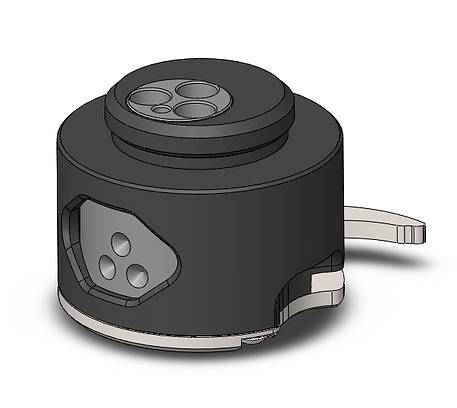
Loading
1. Follow the standard B1 priming guidelines to prepare the device.
2. Insert .209 primer into each of the three chambers (total of 3 primers).
3. Turn the "Lever" away from the "Main Body" to lower the "Tumbler."
4. Rotate the "Tumb" to position number 1 (One Dot).
5. Move the "Lever" back toward the "Main Body" to raise the "Tumbler."
6. Secure the Tri-shot into the B1 device by screwing it in tightly
7. Proceed to deploy the B1 as usual.
Re-Chambering
-
Following successful deployment of your device, it will need resetting and re-chambering.
-
Rotate Tri-shot "Lever" away from "Main Body" to lower the "Tumbler"
-
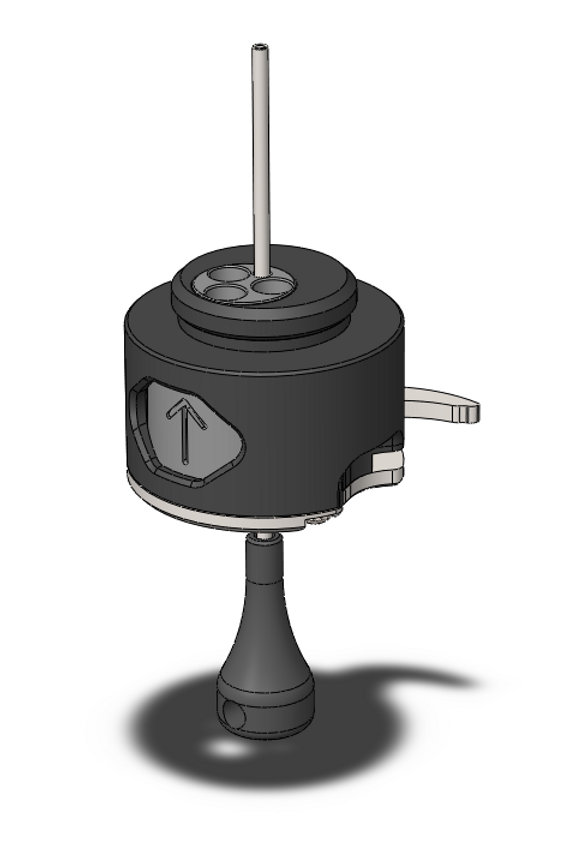
Rotate the "Tumbler" to the load position (symbolised: ↑)
-
Insert extended "Loading Tool" (supplied) into the small load hole on the bottom of Tri-shot
-
Hold device firmly with "Spoon" unobstructed and feed “Loading Tool” through Tri-shot until it makes contact with “Firing Pin” tip.
-
Push the “Loading Tool” HARD until it stops and hold in place.
-
Press and hold the “Spoon”, directly over the spring as shown on the B1 instruction diagram.
-
Remove the “Loading Tool” as the firing pin is now held by the spoon.
-
Re-insert “Safety Pin”.
-
Release pressure from spoon and wait for 10 seconds to ensure that the “Firing Pin” is correctly loaded.
-
After 10 seconds, rotate "Tumbler" to next chamber position (2)
-
Close "Lever" towards "Main Body" to raise "Tumbler" into position. (this step may be stiff dependant on brand of .209 primer and how they expand during firing)
-
Deploy device as normal.
-
Repeat steps 1 through 12 to re-chamber your third and final .209 primer.
Care & Maintenance
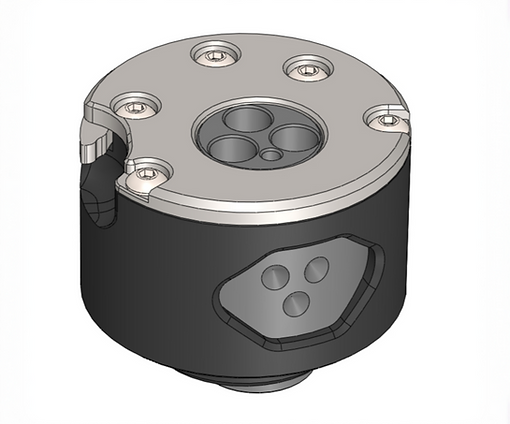
The Tri-shot is not a sealed unit, thus requiring careful handling to ensure optimal performance. It is advisable to inspect the device only you observe a decline in performance due to the accumulation of dirt and debris. The device is secured by five screws that secure the bottom plate. Removing these screws provides access to the internal components for cleaning and maintenance.